
Some Chrome users have reported that their downloads are opening up in a tab by default instead of being downloaded to their My Downloads folder. Others have reported that attempts to save PDFs only offer Save as XML solutions. Here are instructions on how to correct this behavior.
- Open your Settings menu by clicking the kebab menu in Chrome (three vertical dots).
- Click Privacy and Security
- Select Site Settings
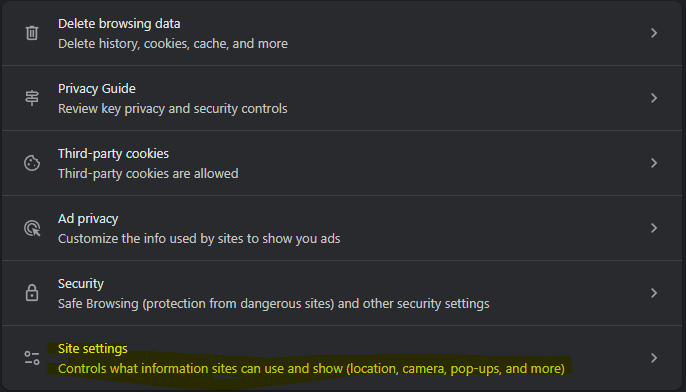
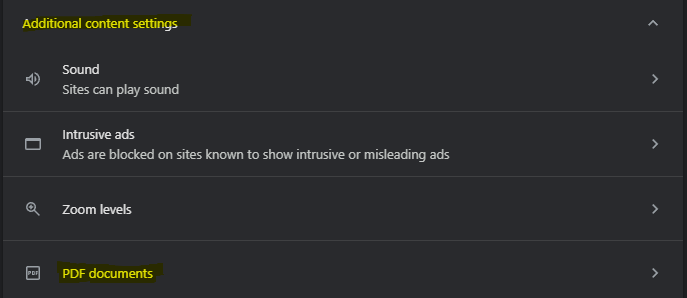
4. Scroll down to Additional content settings and then click PDF documents
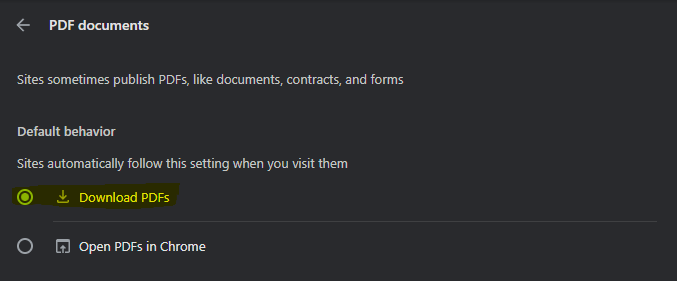
5. Change the setting to Download PDFs
Please let us know if you have any other problems and thanks again for supporting Paizo!